What do you use to view images/videos in the field?

Tennessee Deer Sporting & Deer Hunting Community Forum

Help Support TNDeer | Tennessee Deer:

BSK

Well-Known Member
Joined
Mar 11, 1999
Messages
92,534
City & State/Province
Nashville, TN
Although it's a minor complaint, I've always wished I had a nice device to view images in the field. Although all my cameras have little viewing screens in them, honestly, I can't see squat on those little 2" screens. I've been plugging the SD cards into an adapter with a USB-C port and plugging that into my phone, but my phone really doesn't like that. Gets a little screwy, plus you have to select the video/image files one at a time. You cannot scroll through images/videos.

I've always wondered if a tablet might be the way to go. I've looked at them many times, but because of the price, couldn't really justify the cost. Well, yesterday I noticed Best Buy had a sale on some of their cheaper models. So I bit the bullet and bought a Lenovo Tab M11. I realize it's somewhat of a low-end brand, but all I want to do is see my images/videos on a large screen. The Tab M11 has a 1920x1200 11" screen. I also bought a drop-proof external case, like an Otter Box. I've tried SD cards in the adapter and the tablet recognizes them and allows me to scroll through and play vides in high-res full color with sound.

Anyone else go to this trouble?

If it were only pulling the cards from a couple cameras, I wouldn't go to this trouble. But I'm servicing sometimes more than 30 cameras on clients' properties, and there's nothing worse than swapping cards, getting home, and realizing a couple of the cameras are aligned wrong. Review in the field allows for correcting problems right then.
 
How much did you get it for BSK? I also hate looking at them on my phone - they do get screwy. And half the time, the phone doesn't delete the card completely.
 
As an Amazon Associate we earn from qualifying purchases. Product prices and availability are accurate as of the date/time indicated and are subject to change.
I carry my laptop in a backpack when i run my camera's, I tried a galaxy tablet a few years ago and the processor speed was so slow transferring thousands of photos to the tablet I gave it up and bought the 500.00 laptop.
 
I carry my laptop in a backpack when i run my camera's, I tried a galaxy tablet a few years ago and the processor speed was so slow transferring thousands of photos to the tablet I gave it up and bought the 500.00 laptop.
Luckily, I'm not trying to transfer the images to the device, just reviewing them on the SD card with the device. I ran into the same problem with transferring images when a client loaded all of his photo census images onto an iPad. Turned out, transferring them back off the iPad was virtually impossible. It would only transfer 3 or 4 images at a time. That's fine until you've got 40,000 images and need them all copied to a PC quickly. We NEVER got those images off the iPad.
 
I have 59 videos on an SD card from a couple weeks ago, and I still haven't been able to view them yet.

It's a pita because none of the devices I have around here will open the videos. They do fine with images though.

Anymore recommendations?
That Lenovo seems like a pretty good deal.
 
Although it's a minor complaint, I've always wished I had a nice device to view images in the field. Although all my cameras have little viewing screens in them, honestly, I can't see squat on those little 2" screens. I've been plugging the SD cards into an adapter with a USB-C port and plugging that into my phone, but my phone really doesn't like that. Gets a little screwy, plus you have to select the video/image files one at a time. You cannot scroll through images/videos.

I've always wondered if a tablet might be the way to go. I've looked at them many times, but because of the price, couldn't really justify the cost. Well, yesterday I noticed Best Buy had a sale on some of their cheaper models. So I bit the bullet and bought a Lenovo Tab M11. I realize it's somewhat of a low-end brand, but all I want to do is see my images/videos on a large screen. The Tab M11 has a 1920x1200 11" screen. I also bought a drop-proof external case, like an Otter Box. I've tried SD cards in the adapter and the tablet recognizes them and allows me to scroll through and play vides in high-res full color with sound.

Anyone else go to this trouble?

If it were only pulling the cards from a couple cameras, I wouldn't go to this trouble. But I'm servicing sometimes more than 30 cameras on clients' properties, and there's nothing worse than swapping cards, getting home, and realizing a couple of the cameras are aligned wrong. Review in the field allows for correcting problems right then.
It doesn't look like it has a slot for the standard SD cards, only the micro SD cards.
Is that correct?
 
It doesn't look like it has a slot for the standard SD cards, only the micro SD cards.
Is that correct?
That is correct. However, I already have an SD Card adapter with a standard USB connection on one end and a USB-C connector on the other. I use this to download SD Card content to my PC (USB) and also to view it on my phone (USB-C). No problem plugging the reader into the Lenovo tablet and seeing the videos with the USB-C end.

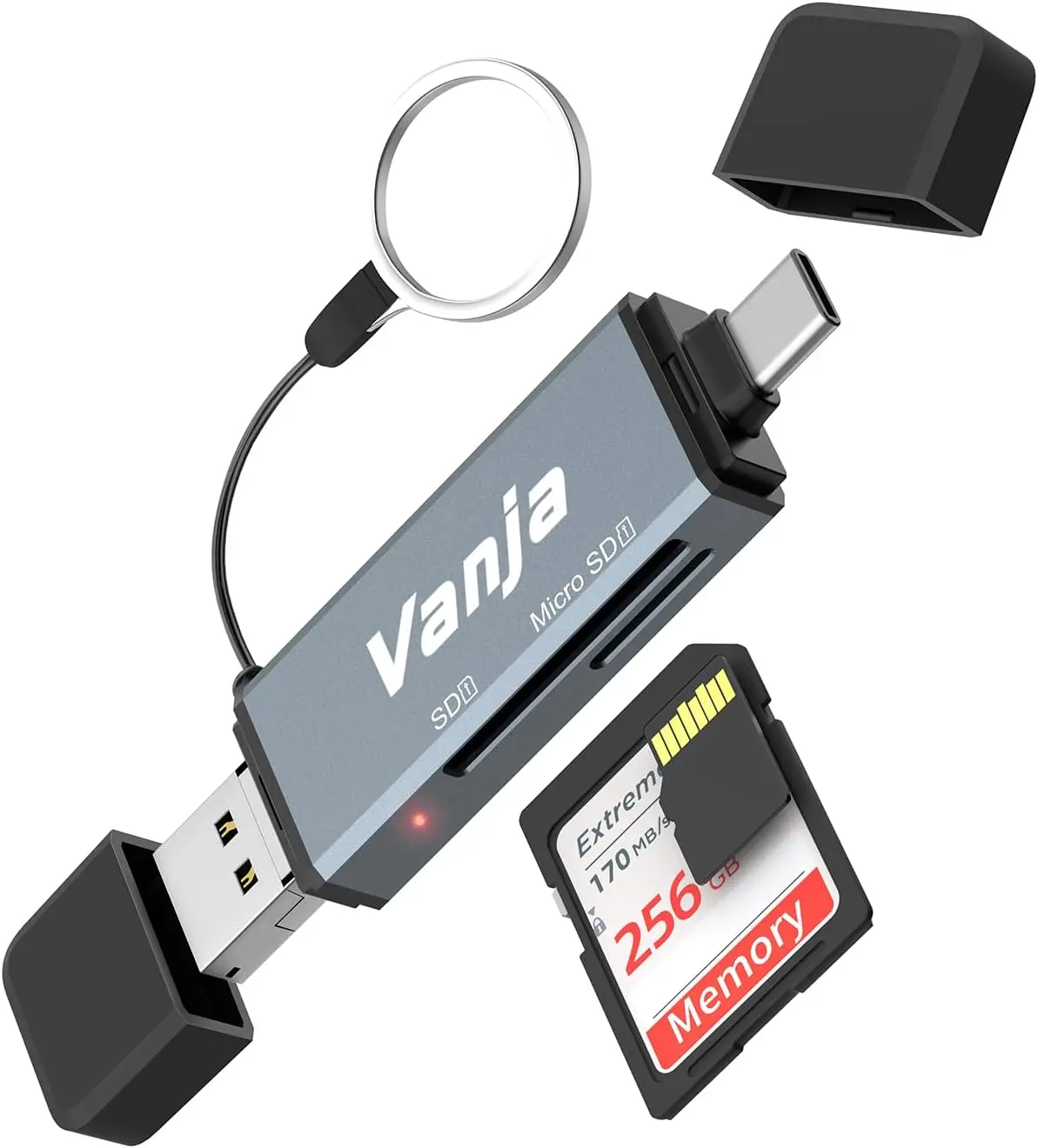
However, one word of caution about using a tablet, IF you plan on placing it inside a drop-proof case. These cases are thick, which can prevent some adapters from reaching the USB-C slot. I had to buy a new SD card reader that has a USB-C connector at the end of a flexible wire so I could get the reader to be able to fit through the case. Luckily, these card readers are cheap.
 
So far, I am VERY pleased with how the Lenovo tablet works. It has truly solved my problem of not being able to clearly see my images/videos in the field. And the drop-proof cases is extra insurance for the bouncing and banging anything I have with me receives in my route from camera to camera.
 
So far, I am VERY pleased with how the Lenovo tablet works. It has truly solved my problem of not being able to clearly see my images/videos in the field. And the drop-proof cases is extra insurance for the bouncing and banging anything I have with me receives in my route from camera to camera.
Thanks for the info- I ordered one late last night. Sounds like it's exactly what I need since I have trouble viewing the video clips.
👍
 
Never had any issues using either my Samsung phone, or tablet to view pictures or videos off a thumbdrive looking adapter. I have had to upgrade the adapter now and then when I upgraded devices though, do to the USB changing. Of course I don't have thousands of pics to go through, but it seems to roll through them just fine. Many times I would just copy the data over to the device and check them later, never had an issue doing that either. Did buy an extension to fit through the case, but the new case doesn't need it.
 
@BSK - does this tablet successfully delete the SD cards? We have been having problems with deleting cards off phone adapters and a really old tablet we have. They look like they're deleted, but later on we somehow find the "deleted photos" in some hidden folder on the card still taking up space. And some of the older devices won't read any card over 32g.
 
@BSK - does this tablet successfully delete the SD cards? We have been having problems with deleting cards off phone adapters and a really old tablet we have. They look like they're deleted, but later on we somehow find the "deleted photos" in some hidden folder on the card still taking up space. And some of the older devices won't read any card over 32g.
Good question JCDEERMAN, and the answer is "I don't know." I don't delete images/videos with the tablet. I only delete images when I put the card back in a camera. I always reformat the cards in the camera.
 
Good question JCDEERMAN, and the answer is "I don't know." I don't delete images/videos with the tablet. I only delete images when I put the card back in a camera. I always reformat the cards in the camera.
I think we found a solution. One of our Browning Dark Ops cameras went rogue. Sent it back and it was unrepairable. Got a new HP5 on their exchange program for a cheap price. Nonetheless, they sent me back the Dark Ops and that is what we "delete all" on all our cards now.

I did ask for that 128gb Lenovo Tab M11 for Christmas 🤣
 
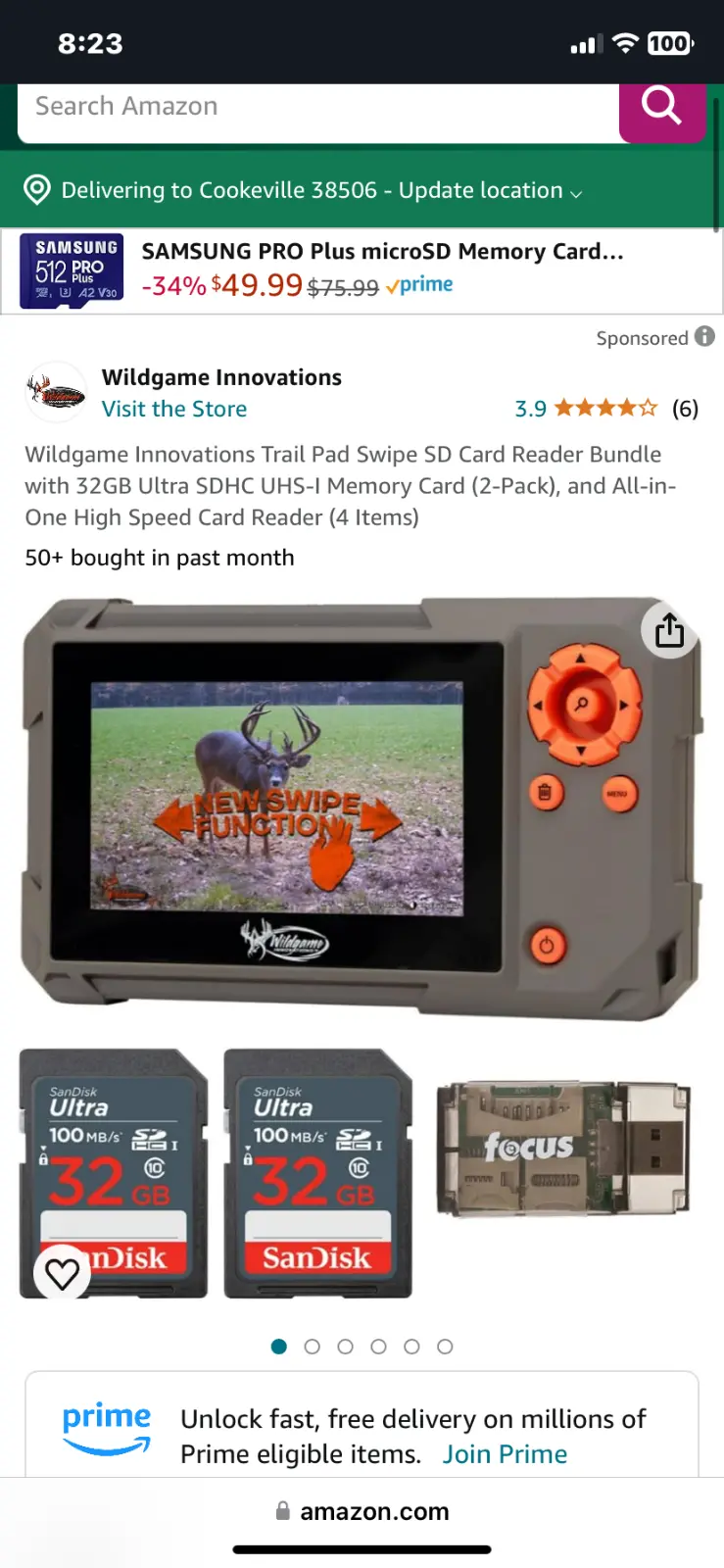
These things work pretty well. I used one made by moultrie for years but couldn't find one when it started messing up.
 

Attachments

  • IMG_4102.webp
    IMG_4102.webp
    71.5 KB
That is correct. However, I already have an SD Card adapter with a standard USB connection on one end and a USB-C connector on the other. I use this to download SD Card content to my PC (USB) and also to view it on my phone (USB-C). No problem plugging the reader into the Lenovo tablet and seeing the videos with the USB-C end.

However, one word of caution about using a tablet, IF you plan on placing it inside a drop-proof case. These cases are thick, which can prevent some adapters from reaching the USB-C slot. I had to buy a new SD card reader that has a USB-C connector at the end of a flexible wire so I could get the reader to be able to fit through the case. Luckily, these card readers are cheap.
Just hope the card reader doesn't unplug easy in the USB-C slot like mine does from my phone and it makes you unplug and plug it back in and acts like you committed a terrorist act on your phone when this happens. I wish there was a better way. A tablet with a standard sd card slot at a reasonable price would solve this. I really don't want to lug around a laptop in the woods. I already have enough things in my bag as it is. LOL
 
Never had any issues using either my Samsung phone, or tablet to view pictures or videos off a thumbdrive looking adapter. I have had to upgrade the adapter now and then when I upgraded devices though, do to the USB changing. Of course I don't have thousands of pics to go through, but it seems to roll through them just fine. Many times I would just copy the data over to the device and check them later, never had an issue doing that either. Did buy an extension to fit through the case, but the new case doesn't need it.
Which card reader did you get? Mine won't scroll thru photos either. You have to click on them, it opens it up to full screen and then you have to back out and select another. Its so time consuming.
 
Which card reader did you get? Mine won't scroll thru photos either. You have to click on them, it opens it up to full screen and then you have to back out and select another. Its so time consuming.
This is the reader I currently use, it is USB-C so my phone and tablet can use it.

1733329095962.webp

But I do have a variety of converters too, such as this one that can do both USB-C, Micro-USB and USB 3.0, so my older phones and tablet can use it as well.

1733329238792.webp

As to the viewer, I just use the built in Gallery app, which shows a thumbnails at the bottom on both my phone and tablet. You can probably get an app that will do that if one is not on what you have.

Samsung Gallery Screenshot.webp
 
Just hope the card reader doesn't unplug easy in the USB-C slot like mine does from my phone and it makes you unplug and plug it back in and acts like you committed a terrorist act on your phone when this happens. I wish there was a better way. A tablet with a standard sd card slot at a reasonable price would solve this. I really don't want to lug around a laptop in the woods. I already have enough things in my bag as it is. LOL
I know all about that! That's one of the reasons I switched to a tablet! With my phone, if the connection is broken at all between phone and card reader, I'm forced to reboot the phone. HATE that!
 

Latest posts

Back
Top